August 27th, 2025
Improved
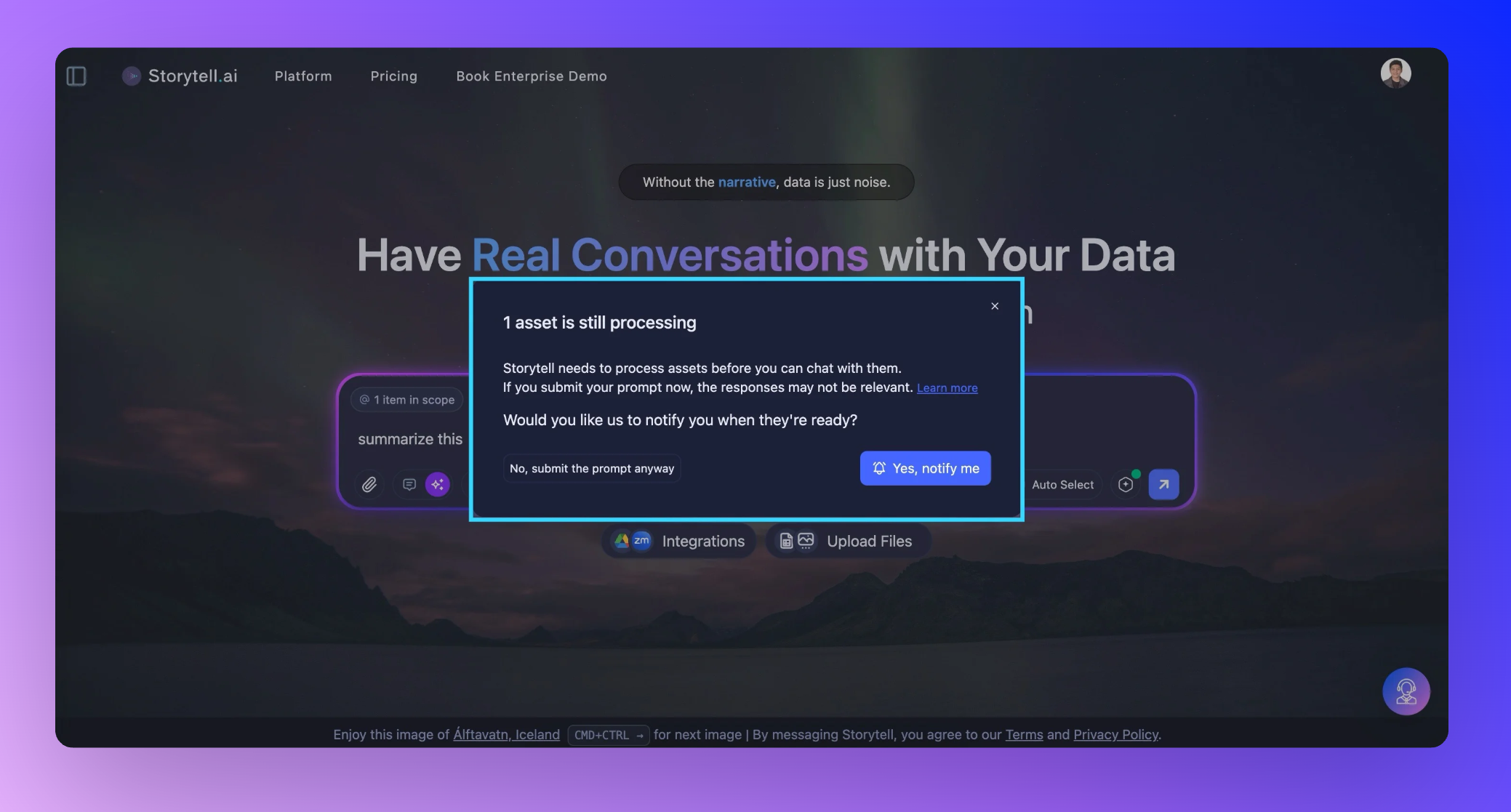
Get updated when your files finish uploading
We heard you loud and clear: nothing's more frustrating than asking Storytell a question only to get a lackluster answer because your files weren't ready yet. This update tackles that head-on with a new system that keeps you updated about your file processing status.
Asset processing notifications
There was a lot of feedback regarding Storytell would not give great responses or would leave users in a waiting loop because their files haven’t finished uploading before they sent their prompts.
Now when you try to submit a prompt while your assets are still processing, Storytell steps in with a friendly heads-up.
What’s changed:
When you try to submit a prompt but your files are still processing, Storytell will show you a clear, friendly message explaining the situation and your options.
You get to choose: Wait for best results and be notified when everything’s ready, or go ahead and submit your prompt anyway—even if it means Storytell might not have the full picture (yet).
If you opt to be notified, you’ll get a browser notification as soon as your assets are ready (so you can focus elsewhere in the meantime). If any files failed to process, you’ll know that too—no more silent errors or surprises.
How it Works—Step by Step:
Try to chat before your upload is ready?
You’ll see a modal:
“X assets are still processing. Storytell needs to process assets before they are ready to chat with. You might not get relevant answers if you submit your prompt now. Would you like us to notify you when they’re ready?”
Choose your path:
“Yes, notify me.” – Storytell will send you a notification as soon as your Collection is processed. (Don’t forget to keep the tab open.)
“No, submit the prompt anyway.” – Proceed as usual, but you may get an incomplete answer.
Already denied notifications?
No worries. Storytell will gently prompt you to enable notifications, guiding you to your browser settings so you never miss an update.
Get started here: Understanding file processing and status