January 29th, 2026
New
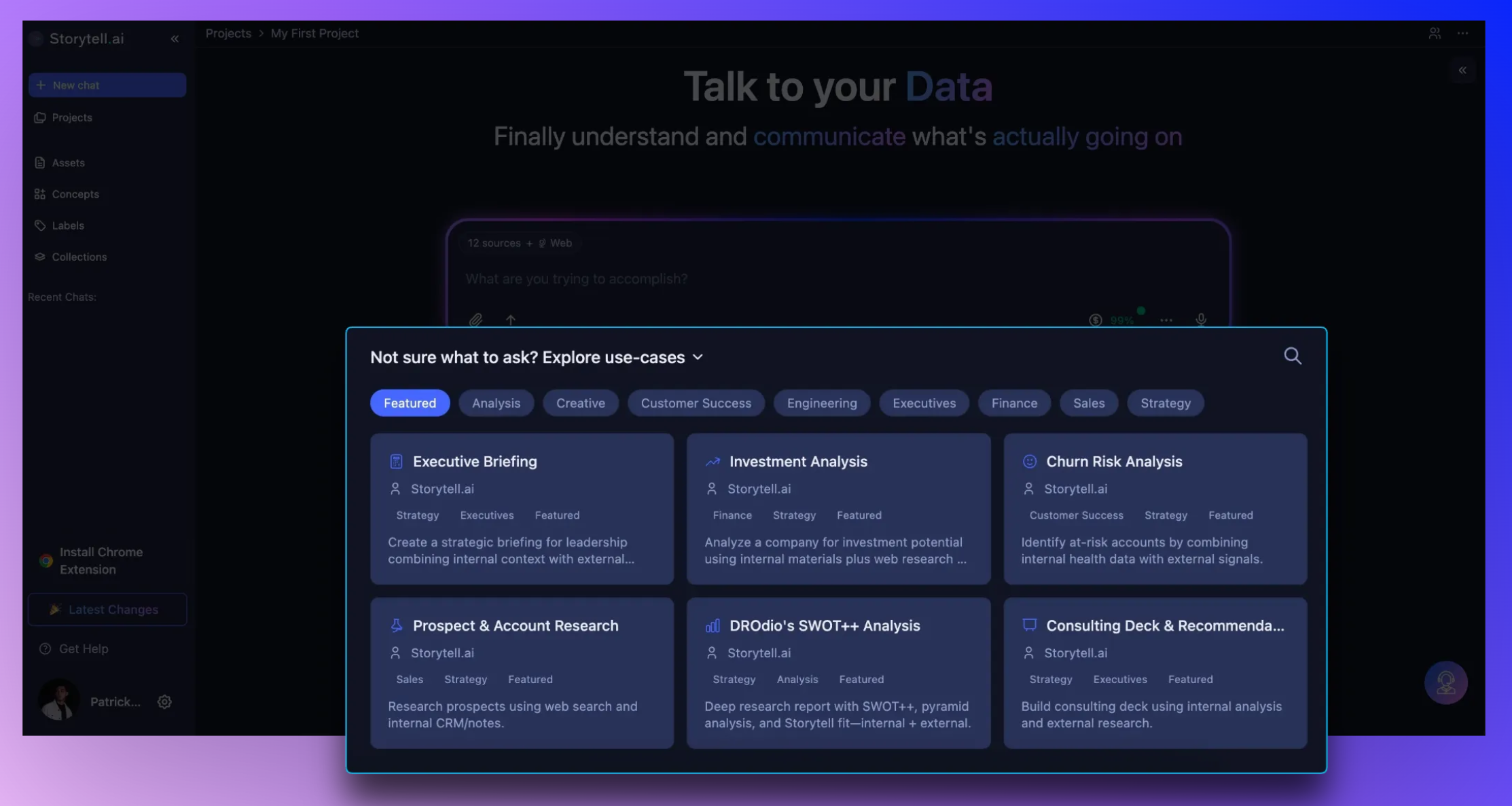
Discover and use prompts faster with Featured Prompts on the home page
Storytell now highlights Featured Prompts on your Home Page, helping you discover common use cases and quickly find the most useful prompts without feeling overwhelmed. Explore, run, and get results from hand-picked prompts designed to jumpstart your work.
What’s new
Featured Prompts on Home Page: Get started faster with a curated set of prompts chosen to showcase the best use cases for Storytell. Each featured prompt is ready to run with one click.
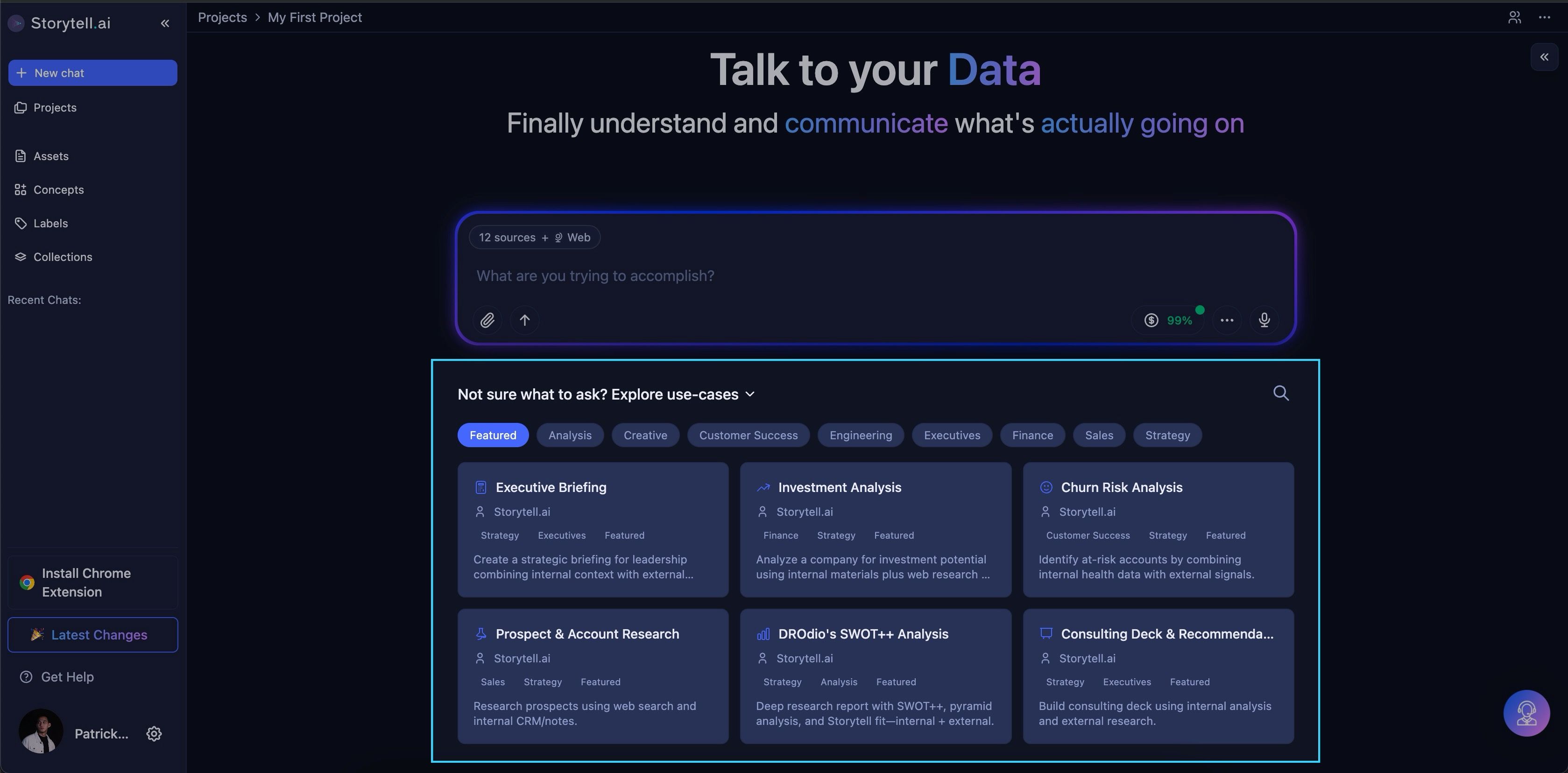
Prompt Categories: Browse prompts by category to explore more specialized prompts beyond the featured set. Categories help you focus on areas like churn analysis, executive briefings, and more.
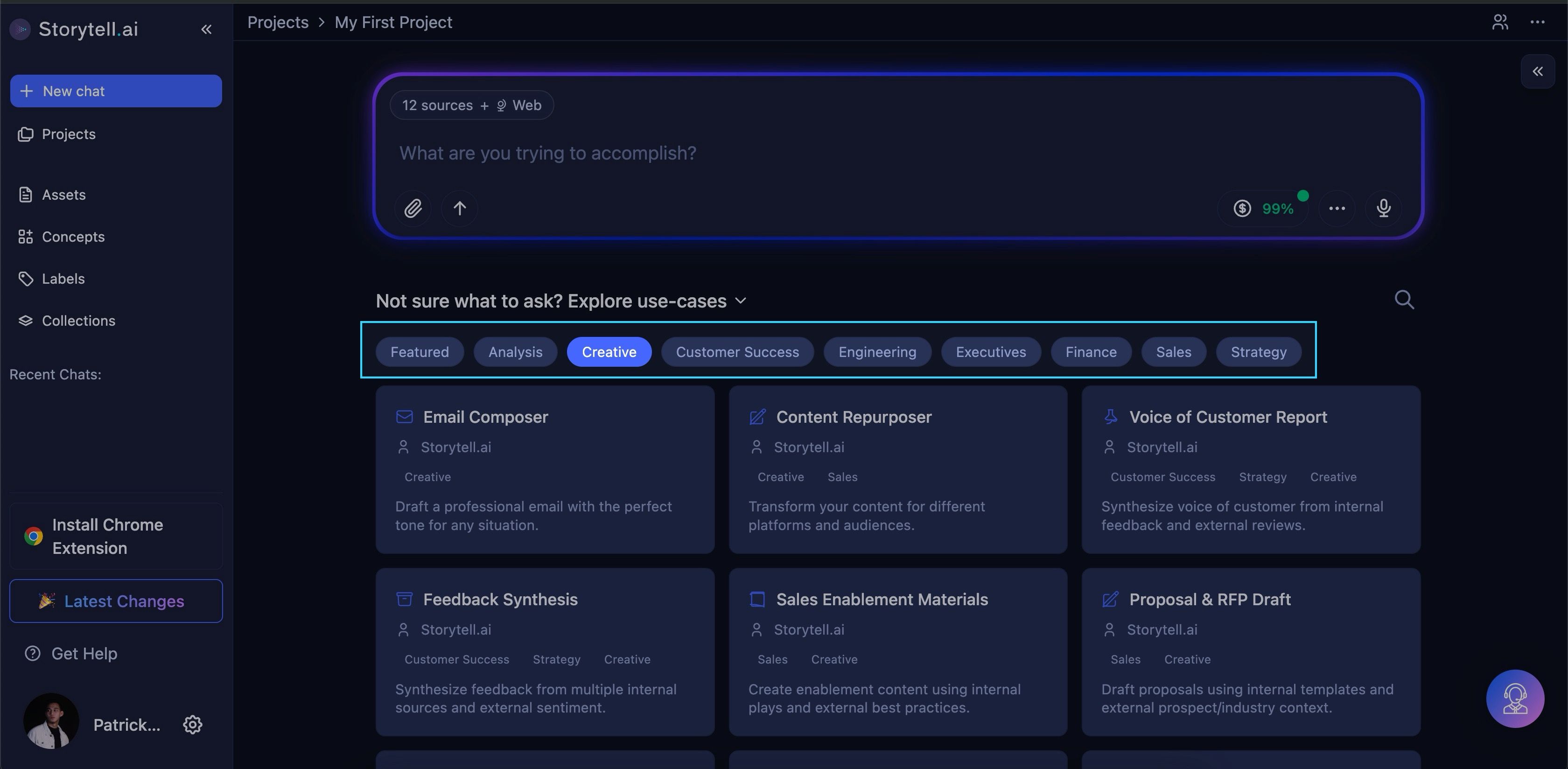
Search for Prompts: Use the search bar to find specific prompts across all categories. Searching lets you pull exactly the prompts you need without browsing manually.
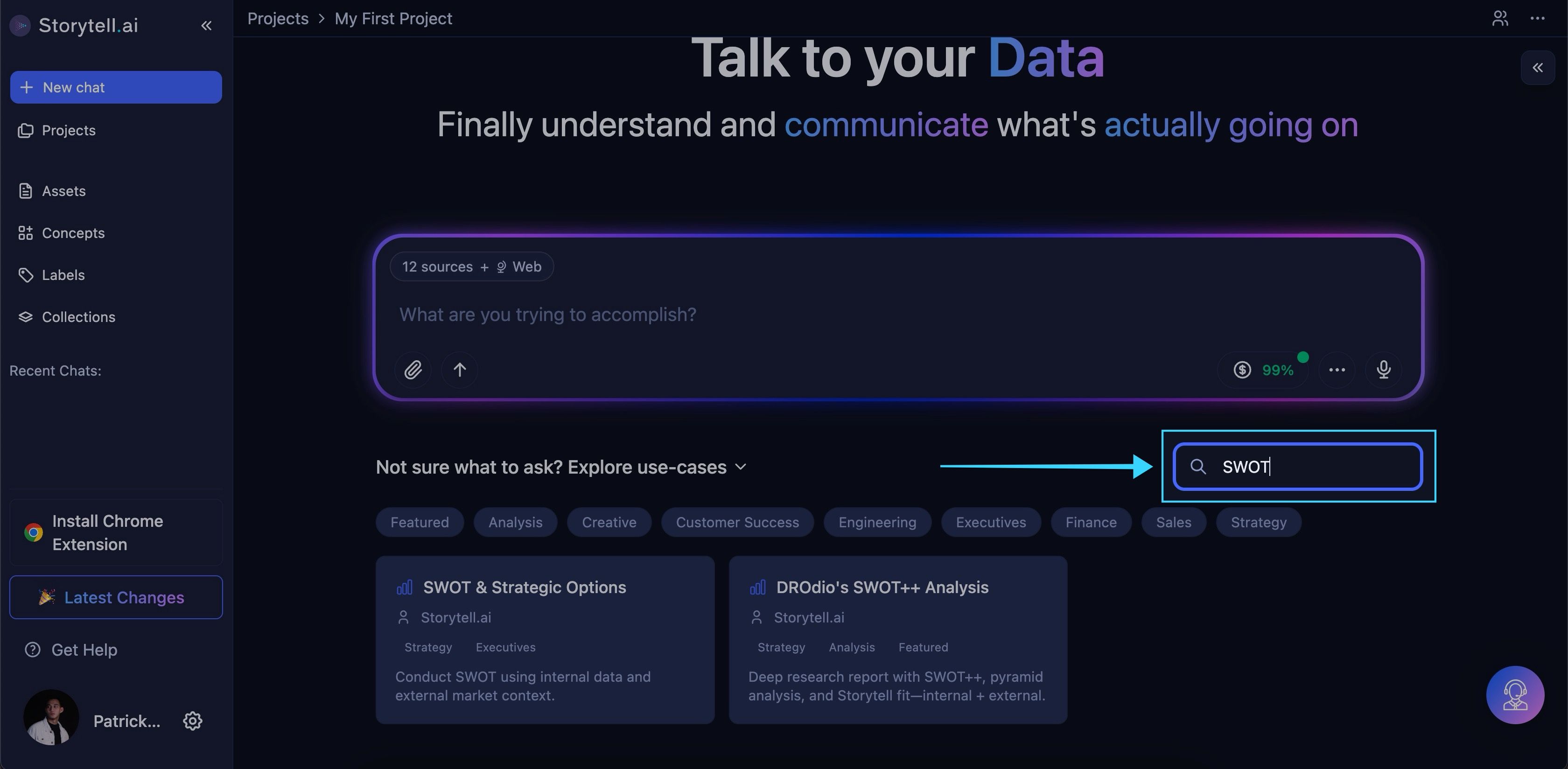
One-Click Execution: Run any prompt instantly from the Home Page or within a category and get results right away.
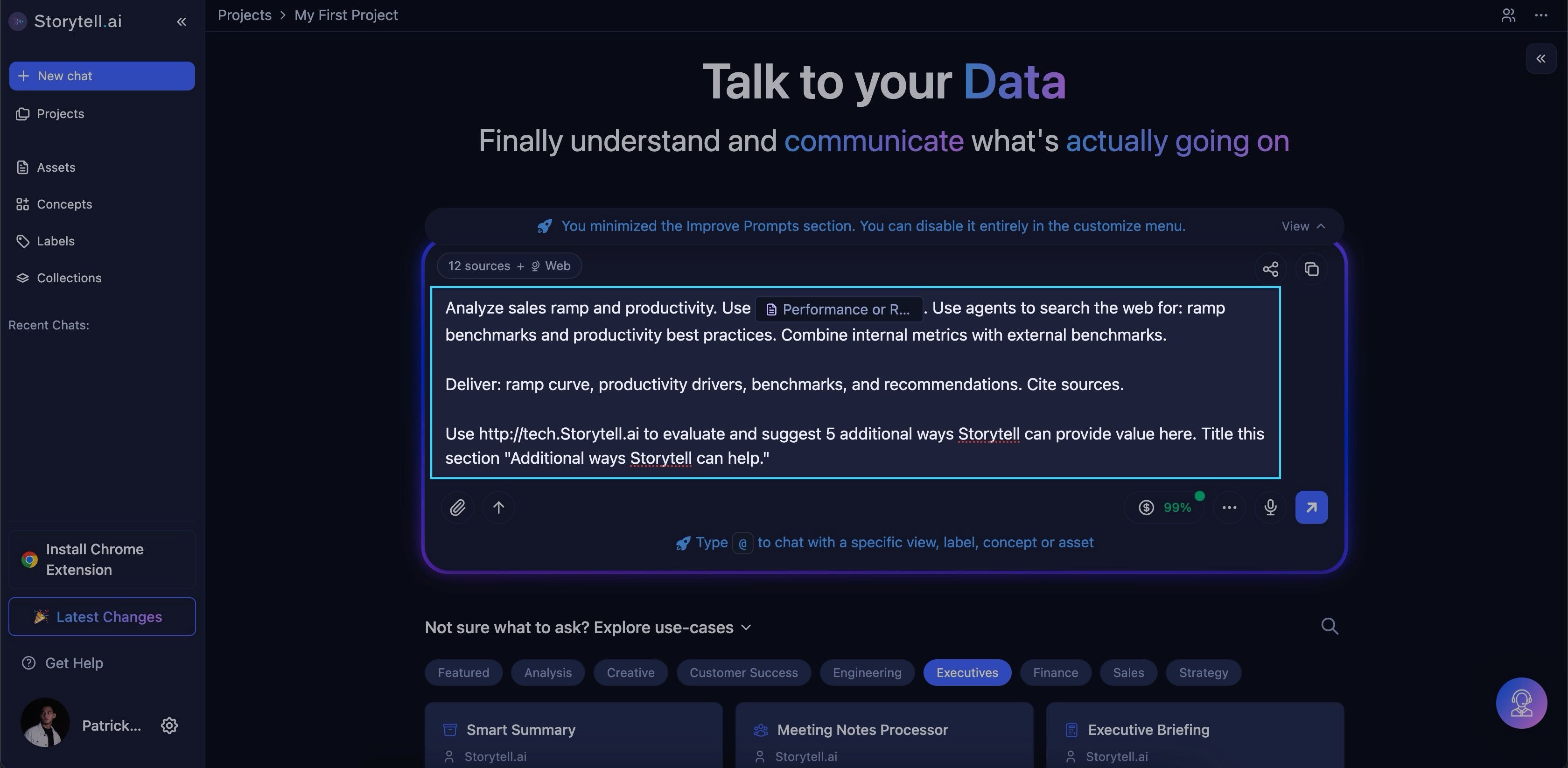
Discover Use Cases: See examples of how prompts can be used in real workflows, helping you understand what’s possible and how to apply them.
Why this matters
New users can now discover common use cases and jump straight into Storytell without needing to figure out where to start. Featured Prompts surface the best prompts upfront, while categories, search, and use case examples ensure power users can find exactly what they need.
Note: Featured Prompts appear only in the default project (“My First Project”), so new users have a focused starting point to kick off usage without being overwhelmed by multiple projects.
Who benefits
New users exploring Storytell for the first time
Analysts and teams looking for quick, actionable prompts
Anyone who wants fast access to the most useful prompts and real-world use cases
Learn more → Featured prompts and use cases