April 8th, 2026
New
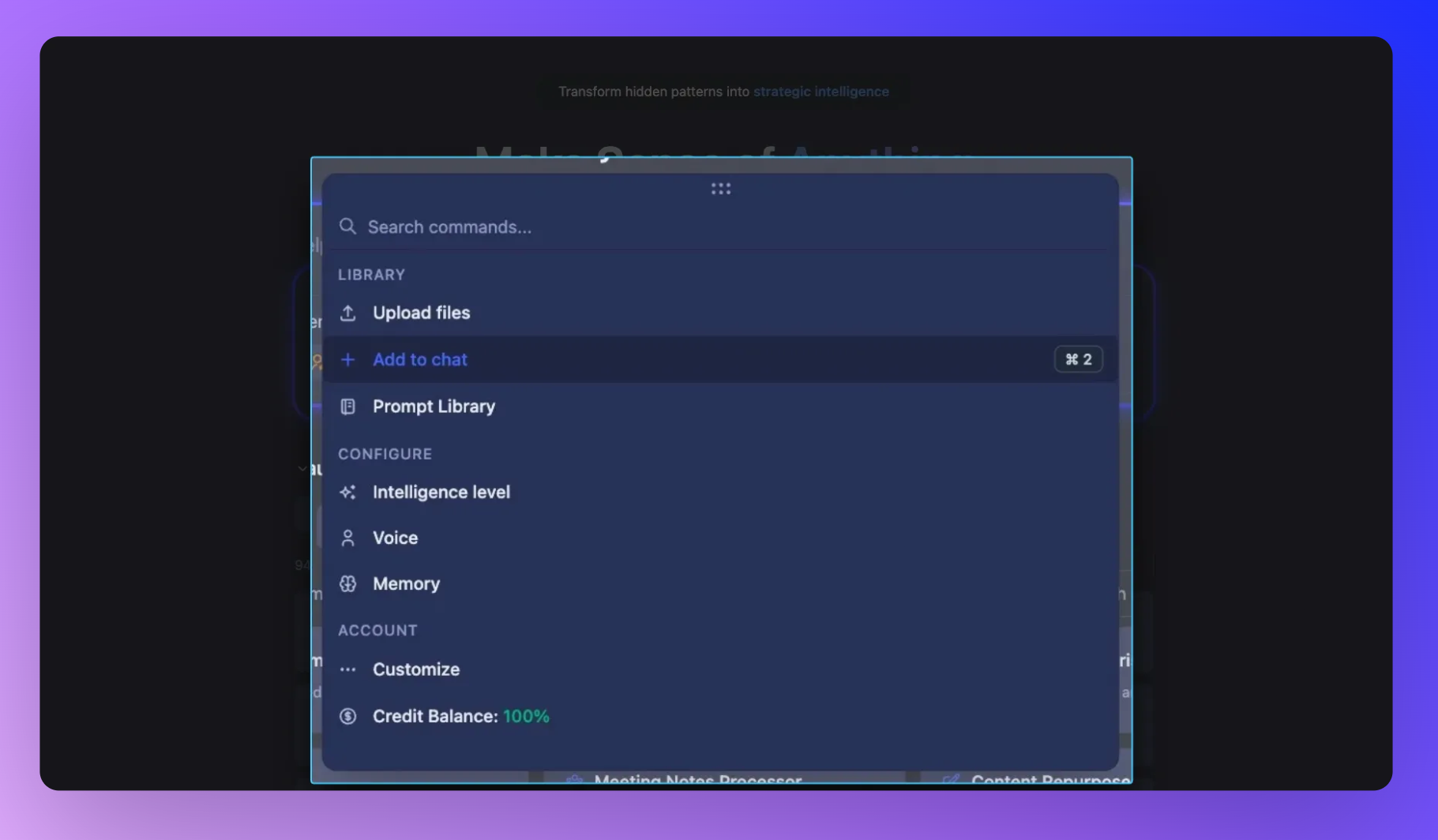
Command Center & Chat Scope: Control how Storytell thinks, in one place
Storytell shouldn’t feel like a black box.
This release introduces the Command Center and Chat Scope, a new way to control how responses are generated and see exactly what’s influencing them in real time.
What’s new
Command Center

A single place to configure everything that affects your chat.
Library (what Storytell knows)
Upload files
Add files to your current chat
Access your Prompt Library
Configure (how Storytell thinks)
Intelligence Level (Auto, Fast, Expert, Research)
Voice (Coach, Teacher, Executive, etc.)
Memory settings (user, project, system)
Account (your setup)
Personalization & settings
Credit balance visibility
Chat Scope

A real-time bar that shows what’s actively shaping your conversation.
Voice → current tone/persona
Intelligence Level → reasoning depth + tools
Files in Scope → how many files are being used
Public Data → whether web/external data is on
Every change you make updates instantly—what you see is exactly what the system is using.
Why this matters
No more guessing - Quickly understand why you’re getting a certain response.
Faster iteration - Adjust tone, depth, or data sources without breaking your flow.
More control, less friction - Everything lives in one place—no jumping between panels.
Transparent AI behavior - You can see (and trust) what’s influencing outputs at any moment.
How it works
Think of it as a simple loop:
Configure your chat in the Command Center
See those settings reflected in Chat Scope
Adjust in real time as you prompt
What changed for you
The old side panel is gone → replaced by the Command Center
Chat configuration is now centralized
You get a live “source of truth” via Chat Scope
Behavior changes (Voice, Intelligence, Data) are now instantly visible
🚀 Pro Tips
Use Chat Scope as a quick check before sending a prompt, especially for Public Data and Files
Switch Voice mid-conversation to instantly reshape outputs
Drop into Expert or Research mode when answers feel too shallow
Keep your file scope tight to improve response quality and speed
Learn more: Command Center & Chat Scope